¶ What Is an AI Agent?
An AI agent is a flexible assistant that can:
- Handle phone calls and provide information
- Answer questions about your products or services
- Support customers
¶ Step 1: Select an AI Template
¶ Template Selection Process
Navigate to Templates page and Make Your Choice:
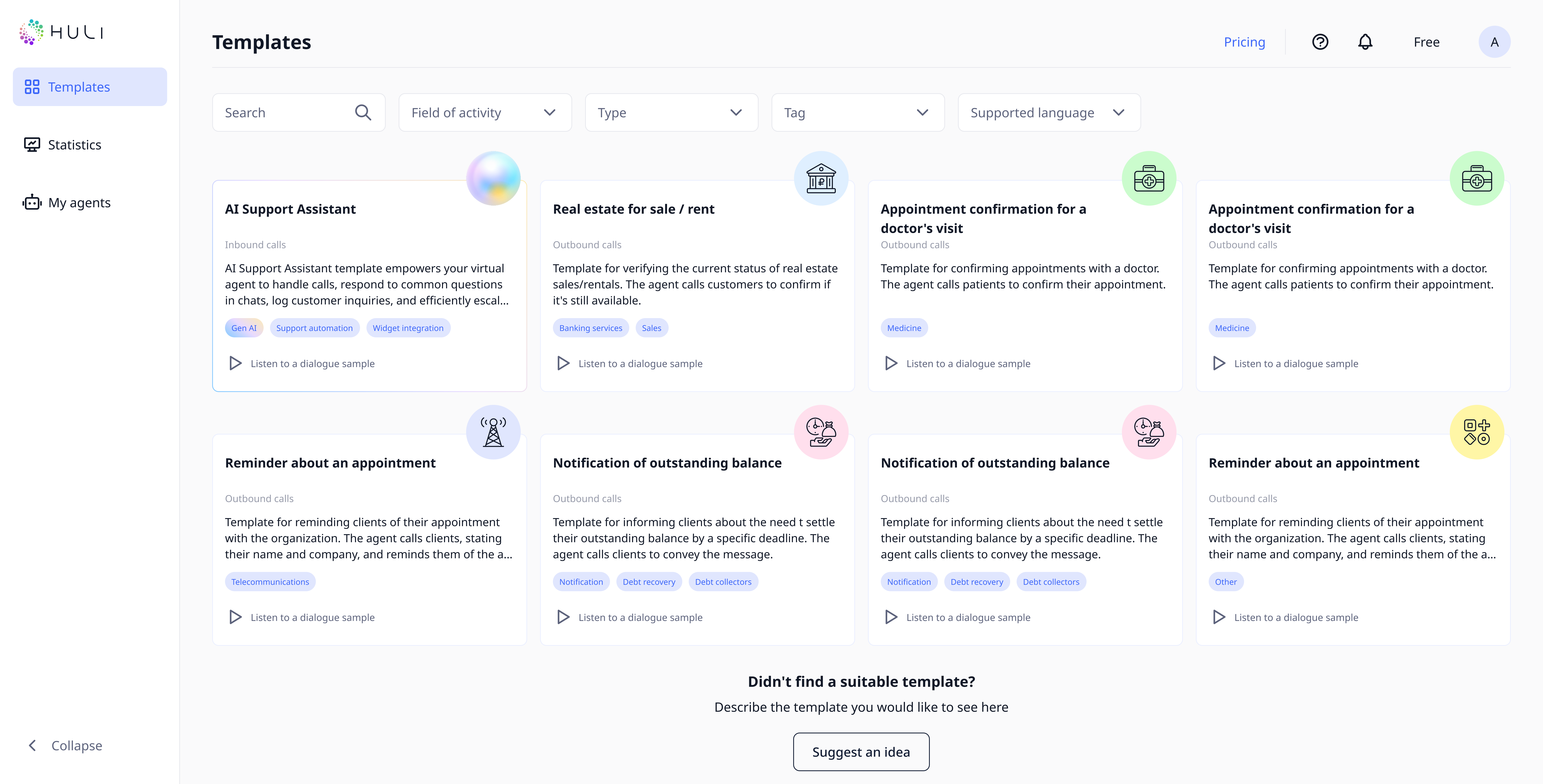
- Click on the AI template card.
- Read the full template information to understand its features and capabilities
- Review what types of interactions the template supports
- Click the "Use template" button when you've made your decision
¶ Step 2: Basic Agent Configuration
¶ Agent Identification
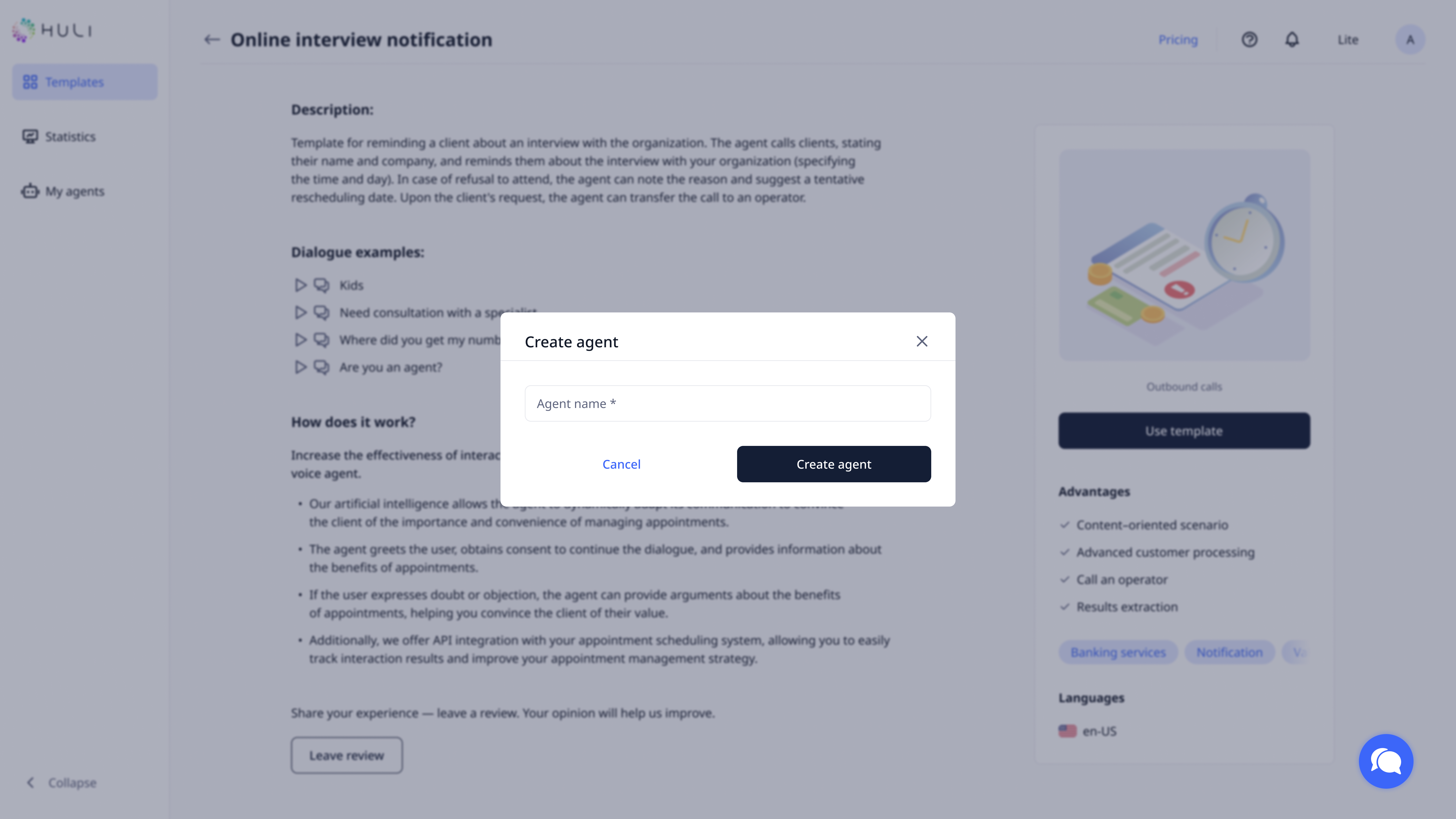
After selecting your template:
- Provide an agent name for internal identification
- This will open the main agent settings page for detailed configuration
¶ Essential Information Setup
Complete the following core settings:

Assistant Name:
- Choose the name your AI will use when introducing itself to customers
- This name appears in chat conversations and phone interactions
Description (optionally):
- Write a brief description for internal reference
- Helps you identify this agent when managing multiple assistants
Language Selection:
- Choose the primary language for customer interactions
- Select the language that matches your target audience
Voice Configuration:
- Select voice from the list for phone interactions. Choose it by tone, accent, and speaking style that represents your brand.
¶ Step 3: Define Agent Capabilities
¶ Role and Purpose Definition
Specify Your Agent's Function:
- Primary role: Define what your agent should do (customer support, information provider, sales assistant)
- Key responsibilities: List specific tasks the agent should handle
Example role definition: "You are a technical support employee at Huli Bank. You answer questions related to our banking products (loans, credit cards, bonuses)."
¶ Knowledge Base Setup
Enhance Agent Intelligence:
- Write up to 10,000 characters of text content
- Include: Product manuals, FAQ, company policies, pricing information
- Best practices: Keep information current and well-organized
¶ Advanced Features
Interruption Settings:
- Enable interruption if you want customers to be able to interrupt the agent while it's speaking
- Recommended for: Customer service scenarios where quick responses are important, this can do your agent more HUman LIke.
¶ Step 4: Test Your Agent
¶ Testing Environment
Two Testing Methods Available:
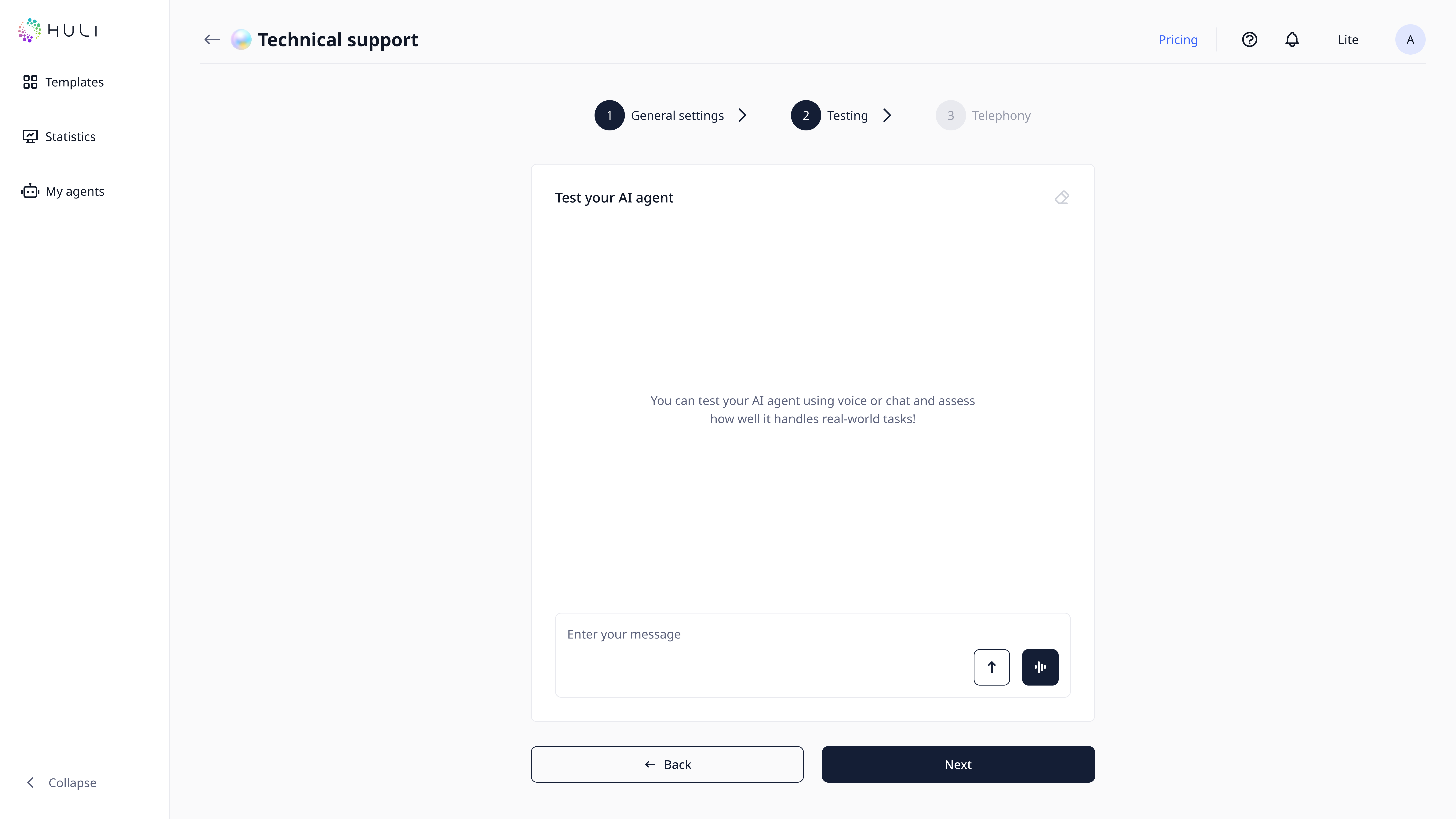
Text Testing:
- Type messages directly in the chat interface
- Test different types of questions and scenarios
- Evaluate response quality and accuracy
- Check conversation flow and logic
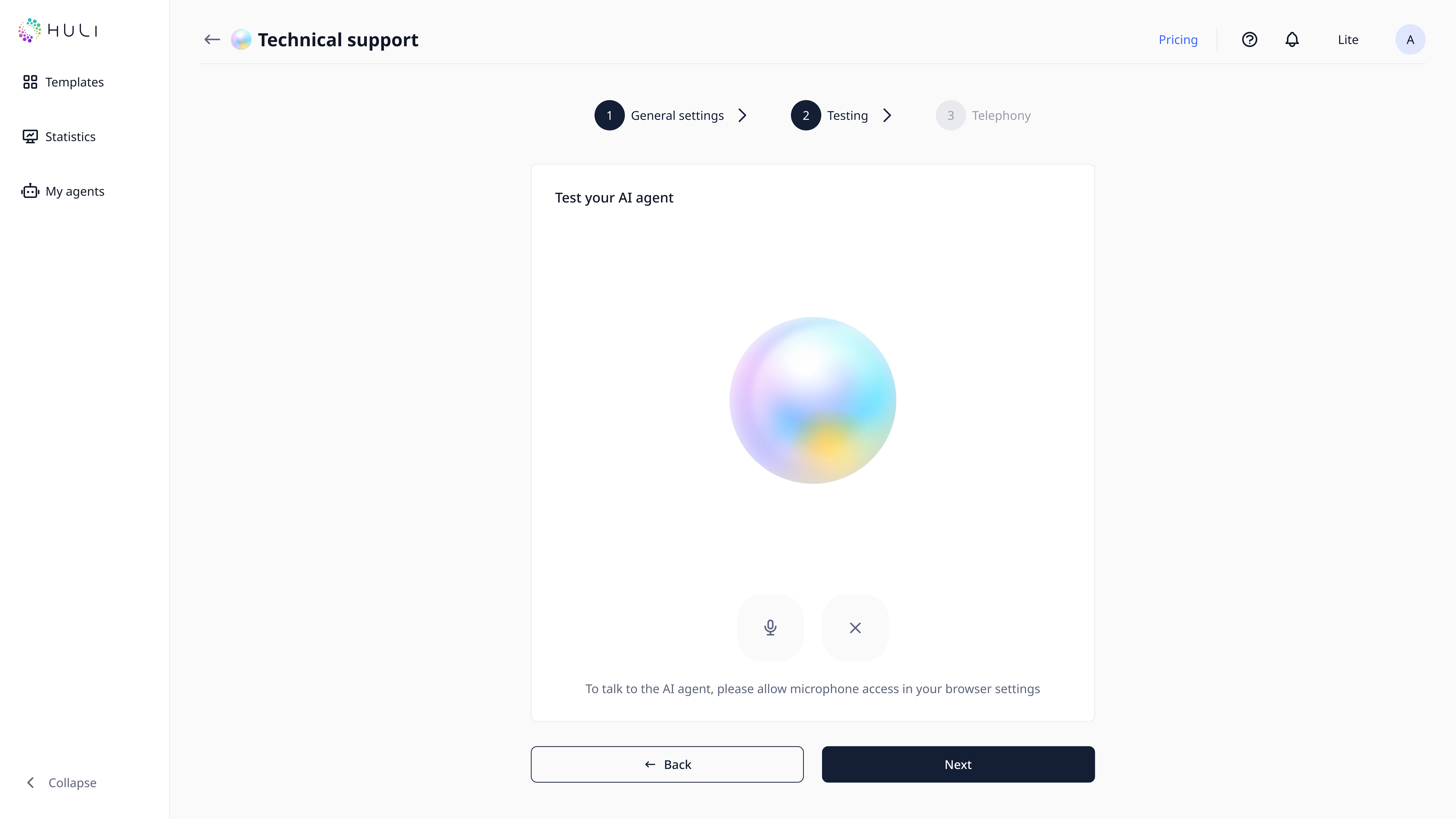
Voice Testing:
- Click the voice button in the testing interface
- Speak your message clearly
- Your speech will be automatically transcribed to text
- The agent responds based on the transcribed message
- Test various speaking styles and accents
¶ Step 5: Telephony Configuration
¶ Choose Your Phone Service
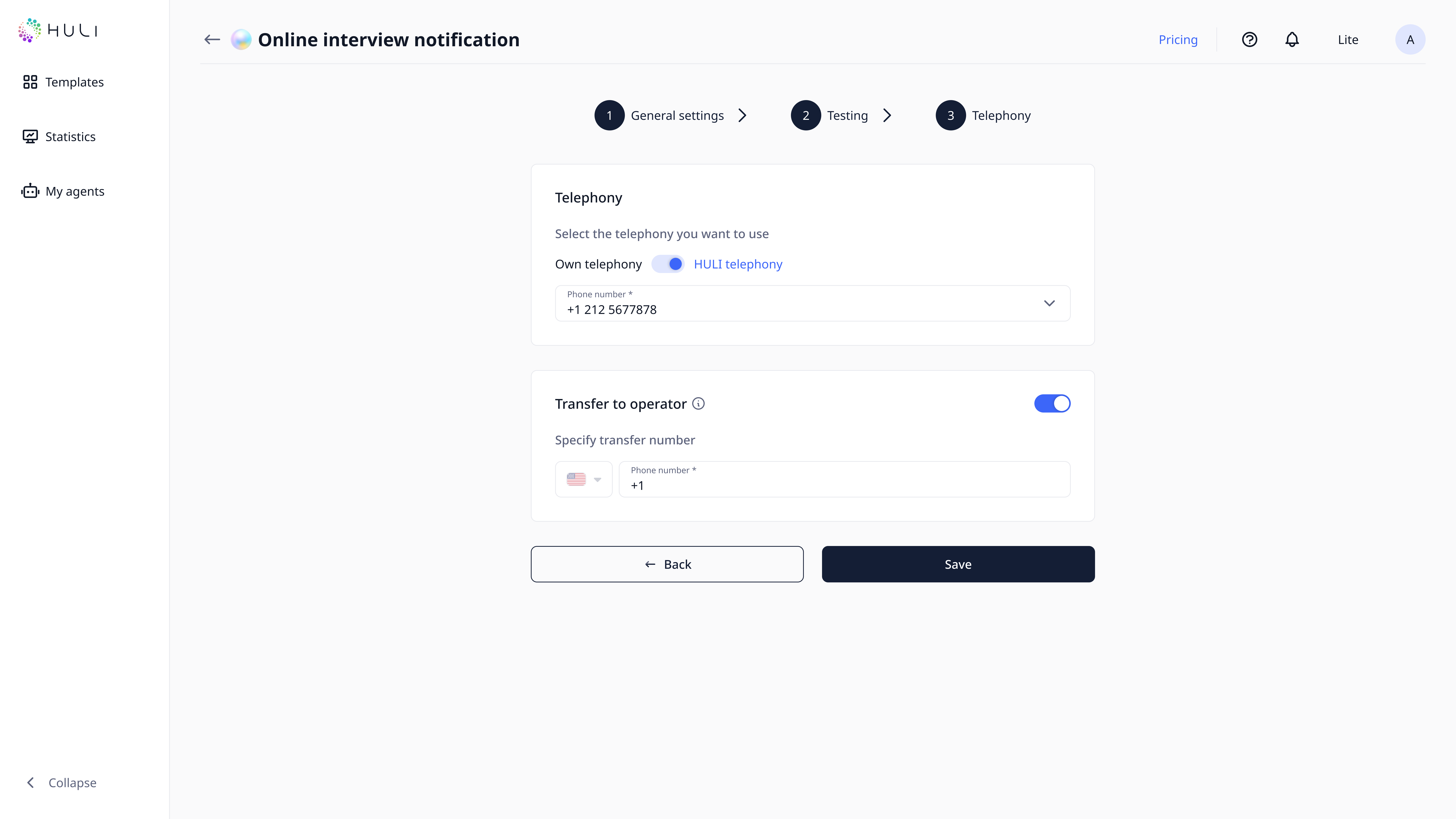
Option 1: External Telephony (Your Own System)
- Use your existing phone infrastructure
- Requires technical configuration in Telephony settings
- Available on all subscription plans
Option 2: HULI Telephony (Integrated Service)
- Built-in phone service for seamless integration
- Available only on paid plans that include HULI telephony
- No external setup required
- Direct integration with your AI agent
¶ Setup Process
For External Telephony:
- Configure your phone system details in Telephony Settings
- Enter connection parameters and authentication information
- Return to your agent settings
- Select your configured telephony from the available list
For HULI Telephony:
- Ensure your subscription plan includes this feature
- Select HULI telephony directly in your agent settings
- Configuration is automatic once selected
¶ Call Transfer Configuration
Human Operator Handoff:
- Enable call transfer if you want customers to reach human operators when needed
- Provide operator phone number for seamless transfers
¶ Step 6: Go Live
¶ Launch Process
Making Your Agent Available:
For Phone Service:
- Share your agent's phone number with customers
- Update your contact information across all channels
- Train your team on the new AI agent capabilities
Your AI agent is now ready to provide 24/7 customer support through phone interactions!